Financial model builder
Build a financial model the way you think about it
Answer a few questions about the business, start from a template, or start from a blank model. Set the horizon, the business units, the chart of accounts, the economic assumptions and the scenarios — change any of it, whenever you want — and generate a complete, auditable Excel workbook that is yours to open, audit and keep.
Free while in early access. Paid plans are opening soon.

Why not just another spreadsheet
Hand-built models drift. Here the model is stated once, in the terms you already use, and the workbook is generated from that statement — the same way every time.
The model lives in one person's head
In a hand-built workbook the logic hides inside the formulas, and in the memory of whoever wrote them. Here the horizon, the business units, the chart of accounts and the scenarios are written down explicitly, so anyone can read what the model actually assumes.
Formulas break quietly
One dragged range or deleted row and the model is wrong without telling you. Here the workbook is generated from inputs that are checked first, so the same model always produces the same structure.
Changing your mind costs a day
Extending the horizon from 10 to 15 years, or adding a business unit, usually means hours of re-linking cells. Here it is one change, and the next workbook carries it through every statement, unit and chart.
How it works
Start the model, shape it until it is yours, take the workbook.
- 1
Start it in one of three ways
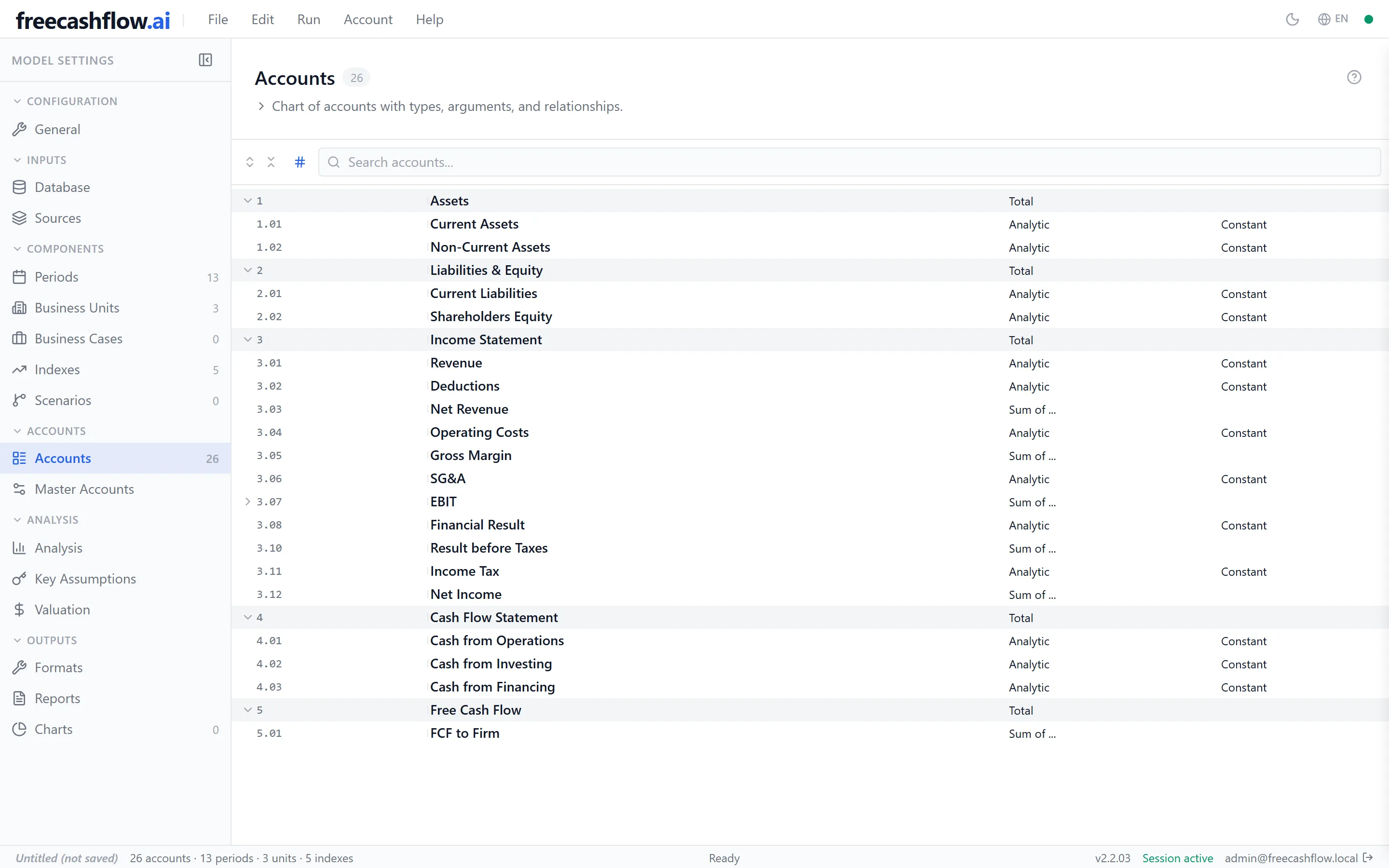
Let the guided wizard ask about your business and lay out a model from your answers; pick a template built for a general-purpose, industrial or services business; or start from a blank model and define everything yourself. You can also open a model you already have, from Excel or YAML.
- 2
Adjust anything — then let it check your work
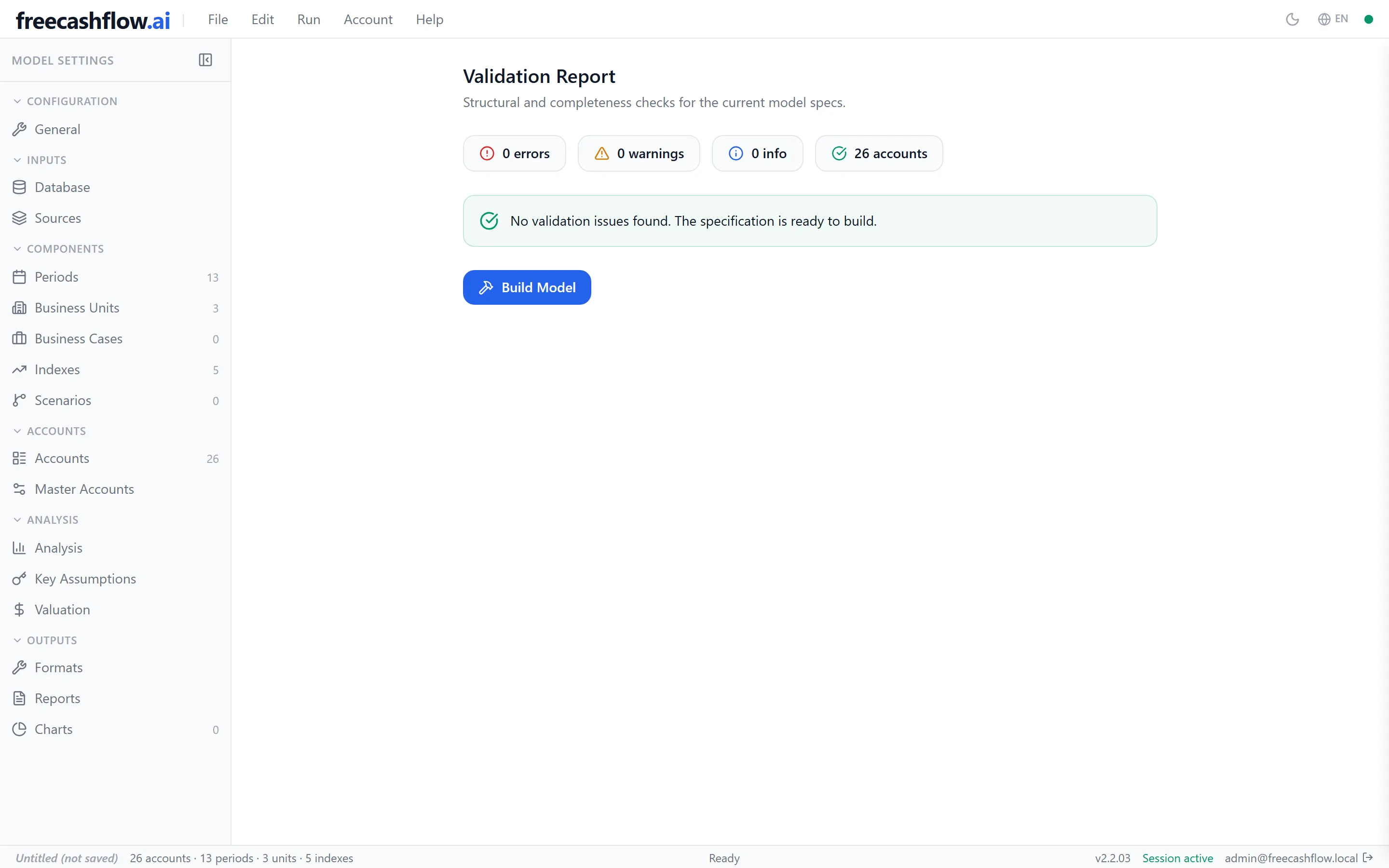
Nothing the wizard or the template decided is locked. Change the horizon, add a business unit, rewrite the chart of accounts, add scenarios, choose which statements to produce. When you are ready, the model is checked: real errors must be fixed before anything is generated, and softer issues are listed for your judgment.
- 3
Generate the workbook
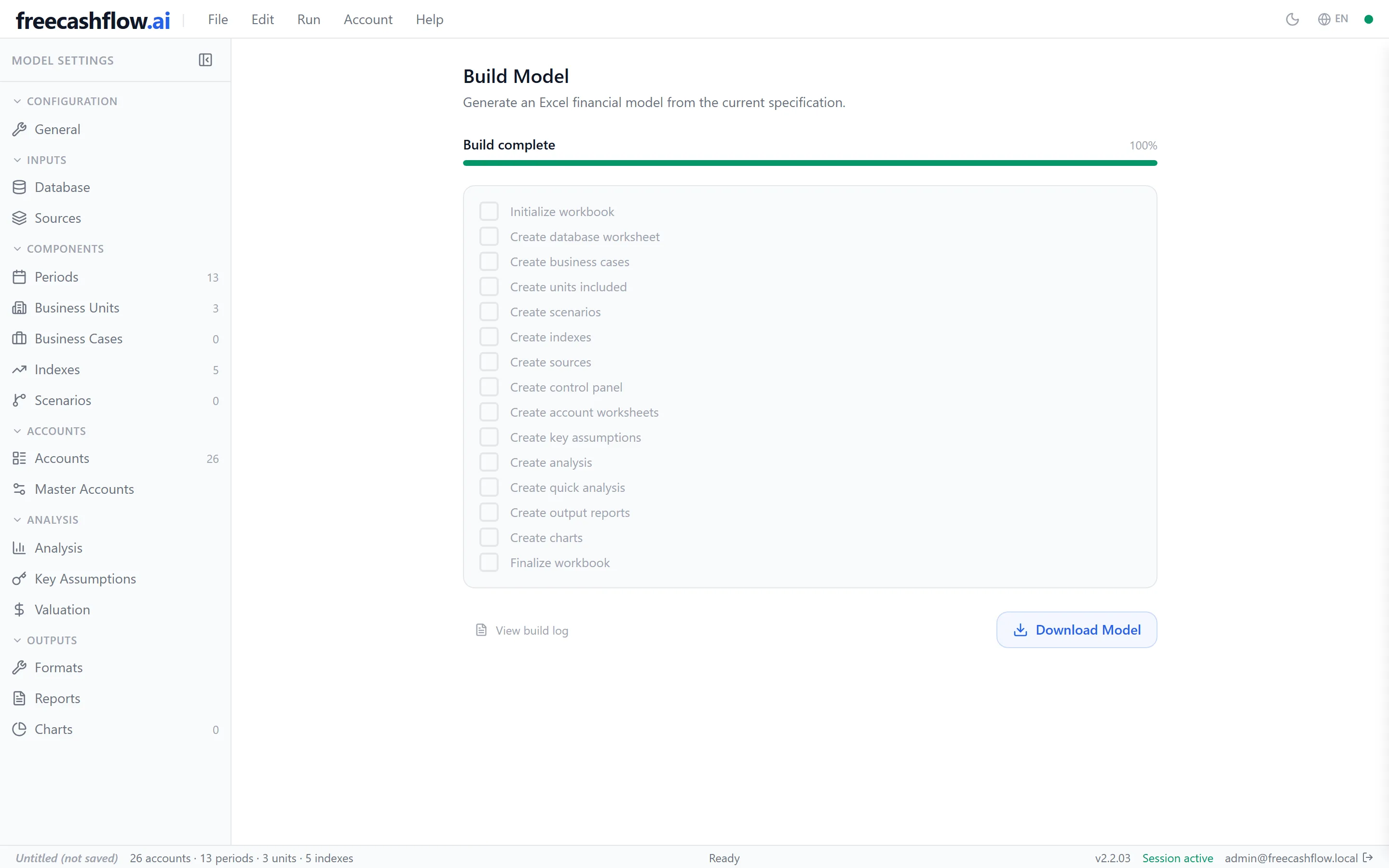
Generation runs in the background with live progress and produces a multi-sheet Excel file — income statement, balance sheet, cash flow, analysis, key assumptions, valuation, reports and charts, as you configured them. Download it and it is an ordinary .xlsx: yours to open, audit, extend and keep.


What you get
An ordinary Excel file — not a locked view of your numbers inside someone else's app.
The statements you asked for
A multi-sheet .xlsx laid out across your periods and business units: income statement, balance sheet and cash flow, plus analysis, key assumptions, valuation and chart sheets whenever you include them.
A model you can reopen and change
Save the model itself back to Excel to pick it up later, or export it as YAML to diff, review and version it. The model is a file you keep, not a row in a database you rent.
A starting point that already fits
Templates for general-purpose, industrial and services businesses, in English and Portuguese, plus a guided wizard that turns a few answers about your business into a working model.
What a model is made of
These decisions are the model. The wizard asks them in this order; a template answers them for you; either way, every one of them stays editable afterwards.
Time horizon
How much history you carry and how far forward you project, in annual, quarterly or monthly periods.
Chart of accounts
The lines of the business — revenue, costs, expenses, working capital, debt — and how each one is calculated.
Business structure
One entity, or several business units; plus the business cases that combine those units for analysis.
Economic assumptions
The inflation, FX and interest indexes that drive the projections, and the alternative scenarios you build on them.
Historical data
Bring your actual figures in from an Excel database and point the model's lines at them.
Charts
Choose the accounts worth showing and the workbook arrives with the charts already drawn.
Statements & valuation
Income statement, balance sheet, cash flow, key assumptions and a DCF valuation with your discount and terminal growth rates.
Checks & generation
Every model is checked before it is generated; generation runs in the background with live progress.
The practical facts
- Interface, templates and documentation in English and Portuguese (Brazil)
- Your model is a file you own — save it as Excel or YAML, no lock-in
- Runs in the browser; the workbook it produces opens in Excel offline
- Your data is isolated per account and you can delete it, permanently
- Free plan available today; the product is in active development
- Built-in help in both languages, one keystroke away
Plans
Three tiers — Free, Pro and Max — each including everything below it. Free is available today; paid plans are opening soon.
Early access
freecashflow.ai is in early access: building a model, changing it, checking it, generating the workbook and keeping your model as a file all work today, and the surface around them keeps expanding. If what is on this page is what you need, try it — and if something is missing, tell us.